
To request a cash distribution from your STRATA IRA, complete and submit STRATA’s IRA Distribution Request form.
Quick Links: Considerations | Avoid delays | Form instructions | What to expect next
Considerations:
Before submitting your request, please note:
- Sufficient cash must be available within the IRA before the distribution can be processed. If assets must first be liquidated, additional processing time may be required.
- Cash distributions are generally processed within 2–5 business days depending on the selected delivery method
- Distributions taken before age 59½ may be subject to IRS taxes and penalties unless an exception applies
Quick Links: Considerations | Avoid delays | Form instructions | What to expect next
Avoid processing delays
Keeping your contact information current helps STRATA validate requests and process transactions securely and efficiently. If the contact information on file does not match the information provided with your request, additional verification steps will be required and could delay processing.
If your address, email, or phone number has changed, please submit STRATA’s Information Change Request – IRA Account form before or along with your distribution request.
Quick Links: Considerations | Avoid delays | Form instructions | What to expect next
Form instructions:
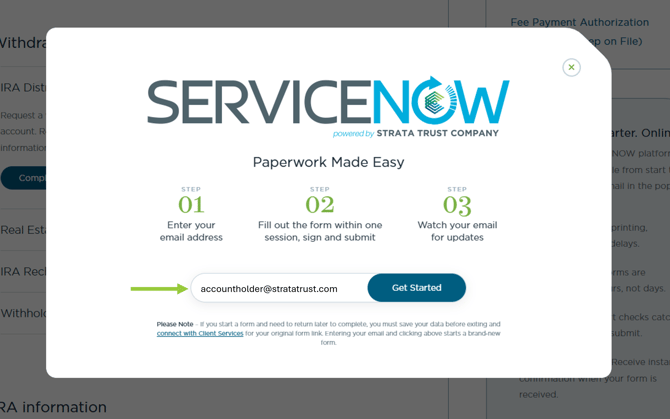
Once you select the form link, a pop-up window will appear prompting you to enter your email address to begin the transaction. The email address entered will be associated with the signer’s profile and used for communications and updates related to the request.
-
Withholding: In step 3 of 5, you will be prompted to select your state and review the Federal Tax Withholding Information. Read the Withholding Notice Information before making your state and federal withholding elections. You may select the State Tax Withholding Information link as a guide to view the minimum state-required amount.
- Fees: If fees are associated with the transaction, you will be prompted within the form. Typical transaction fees include wire fees, overnight fees, withholding fees, and funding processing fees. In Step 4 of 6, you may elect how to cover fees. Click STRATA's IRA Fee Schedule to view associated fees (if applicable).
- Sign and submit: Once the form is filled out you will be redirected to the signing document where you can review the information and edit if needed, save, download, and print (1).
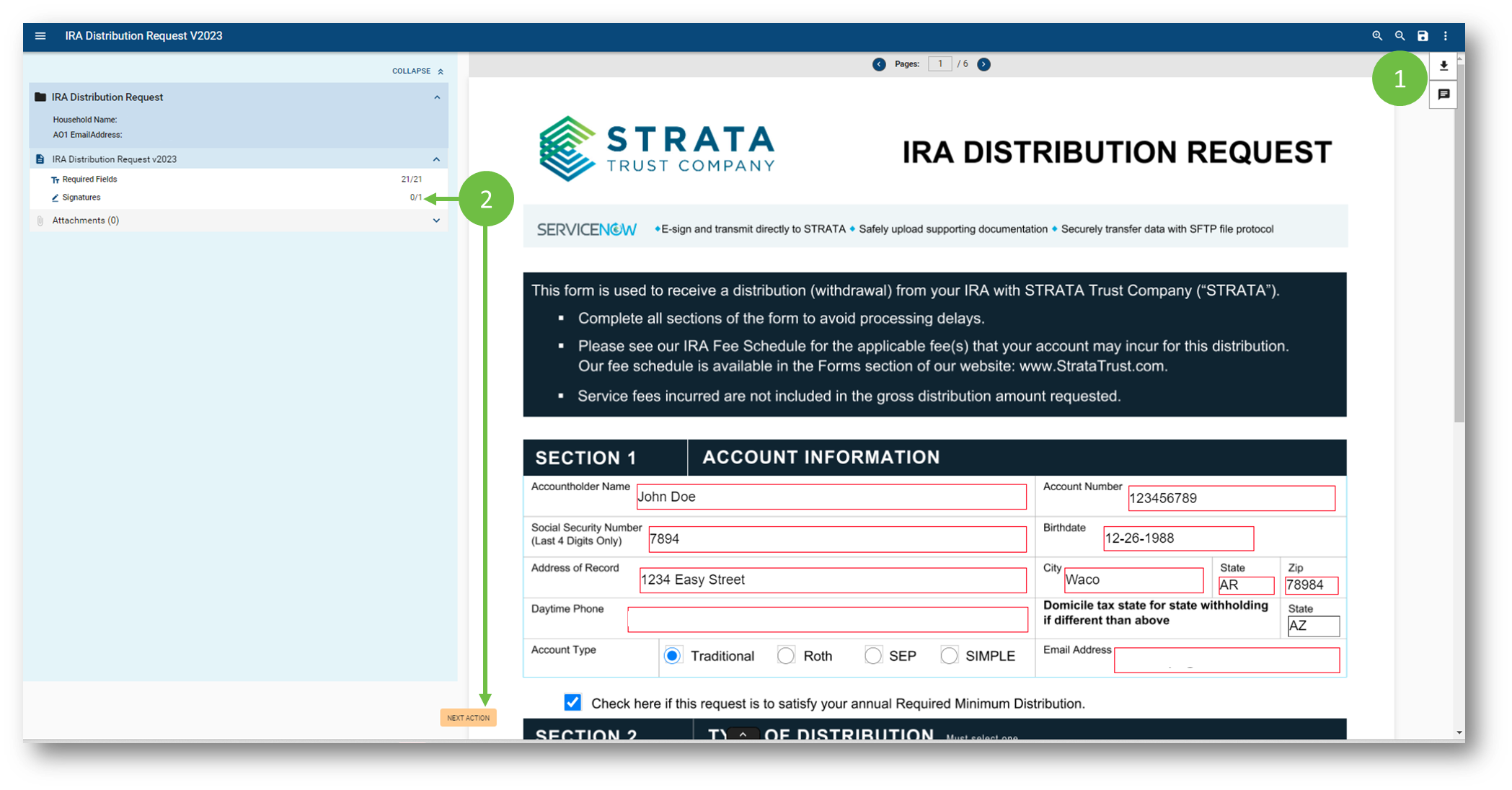
If all the required fields have been completed you may click either Signatures or Next Action (2) to jump to the signature section. If you are new to  , when you click Sign you will be prompted to create a signature profile. This is separate from any STRATA account sign-on and strictly maintains your signature for e-signature requirements.
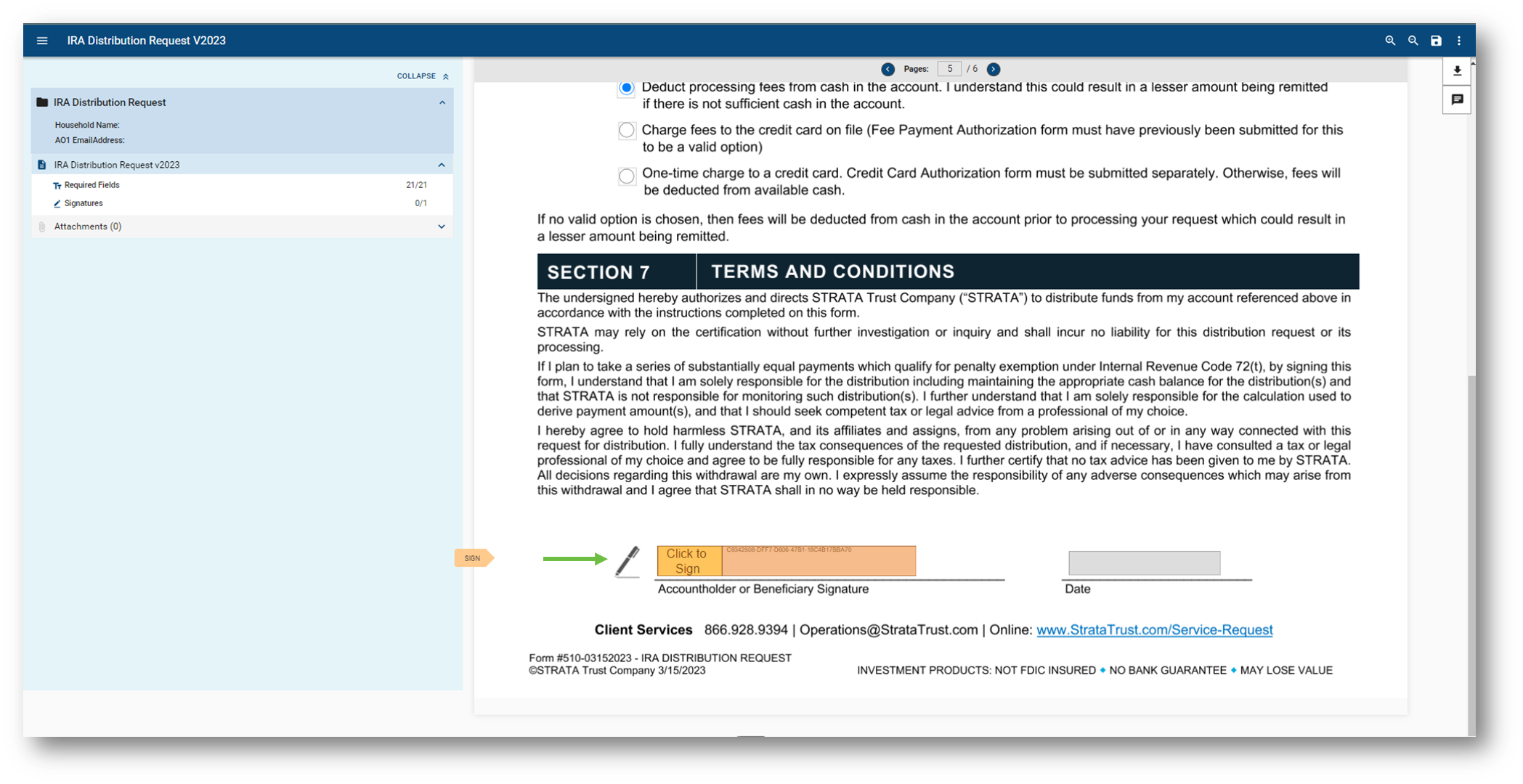
Once your signature profile is created, you will only need to enter your signature password to fill out any additional documents going forward.
Quick Links: Considerations | Avoid delays | Form instructions | What to expect next
What to expect next
STRATA may contact you to verbally confirm certain transactions, including:
- Cash distributions over $20,000
- First-time ACH or wire requests
- Changes to existing ACH or wire instructions
IRS Form 1099-R will be issued for reportable distributions by January 31 of the year following the distribution.